
The red line above is every monthly mean of carbon dioxide measured at Mauna Loa, Hawaii, from 315.6 ppm in 1959 to 427.5 ppm at the end of 2025. Your job is to find out whether it is only rising or rising faster, how strongly the planet breathes each year, and how many tonnes of carbon one ppm represents.
You will use two tools you will need for the rest of your studies. In Google Antigravity an AI agent writes the analysis code, and you review and test it. In Google Colab you run that code on the real data and share the result.
- Use a personal Google account. Colab, Antigravity and the submission form all sign in with it.
- Download Antigravity from antigravity.google/download, install it like any other app, and sign in with that account. The free plan is enough, but its agent time is limited per week: start Part A early, not on the last evening.
You do not need to install Python or type any commands. The agent does the work in Antigravity, and your tests run in Colab.
If installation fails, bring your laptop to class on 5 November; we will sort it out in the first fifteen minutes. A setup problem reported after 10 November does not extend the deadline.
An agent writes the code, you review it
- Make an empty folder called
fef3001-a1on your computer and save SPEC.md into it. In Antigravity, create a new project from that folder.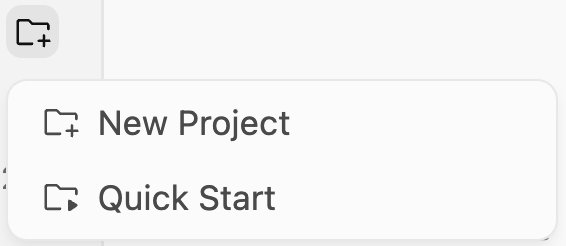
New Project, in the Projects list on the left. - Open the project's settings and set Artifact Review Policy so that the agent always asks you to review its
documents before it acts. You are the reviewer: nothing is built without your approval.
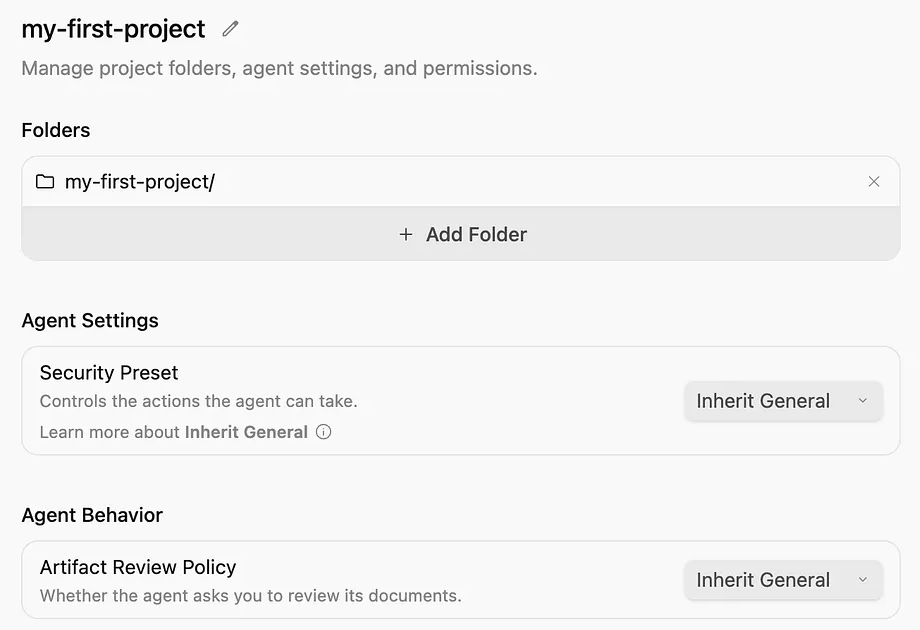
Project settings. Change Artifact Review Policy from its default. - Start a conversation in the project. Type
/planso that the agent writes a plan first, then ask, in your own words, forco2_analysis.pyandtest_co2_analysis.pyexactly as SPEC.md describes.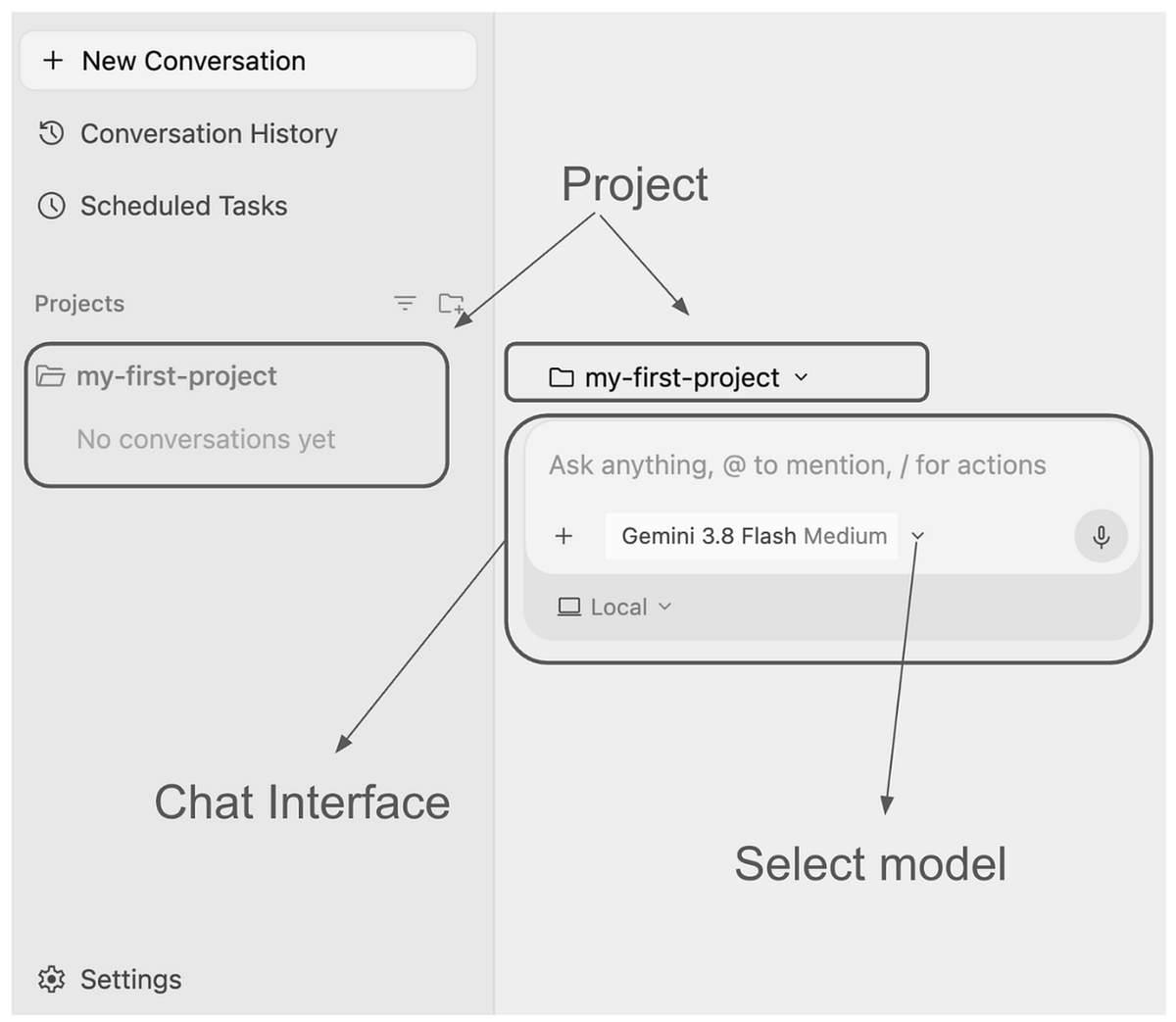
The conversation box of a project. Type /to see the commands. - Read the implementation plan before you approve it. Leave at least one real comment on it: a question or a correction, not “looks good”. See how the agent changes the plan.
- Approve the plan. Let the agent write the files and run its tests; it asks before it runs anything, so read what it wants to do and approve it. If it reports that Python is missing on your computer, go on: the tests also run in Colab.
- Open the Walkthrough from the list of artifacts and read what the agent says it did. Take two screenshots: the plan
with your comment, and the walkthrough.
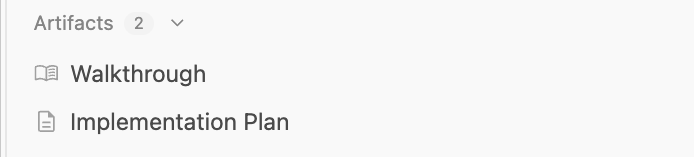
The artifacts of a conversation: the plan, and the walkthrough at the end.
Screenshots: Google, Getting Started with Google Antigravity, CC BY 4.0; cropped. Your screens may look slightly different.
Run the analysis on 67 years of data
Open the starter notebook, save a copy to your Drive, and upload your two files from Part A when the first cell asks for them. The next cell runs the agent's tests; all of them must pass. Then write one more test yourself, by hand, in the cell made for it. After that, complete each TODO and answer in your own words:
- Q1
- Straight line or curve? Compare a linear and a quadratic trend and find the growth rate each implies for 1960 and 2025.
- 10
- Q2
- Compute the growth rate year by year, compare it with NOAA's published values, and explain two unusual years.
- 10
- Q3
- Measure the seasonal cycle in the 1960s and the 2010s: when it peaks, why, and whether it has grown.
- 10
- Q4
- Find the strongest periods in what is left after the trend, and say which one your model created.
- 10
- Q5
- Derive, by hand, how many gigatonnes of carbon one ppm of CO₂ is.
- 10
When you finish, do two things. Share the notebook so that anyone with the link can view it, and copy the link. Then
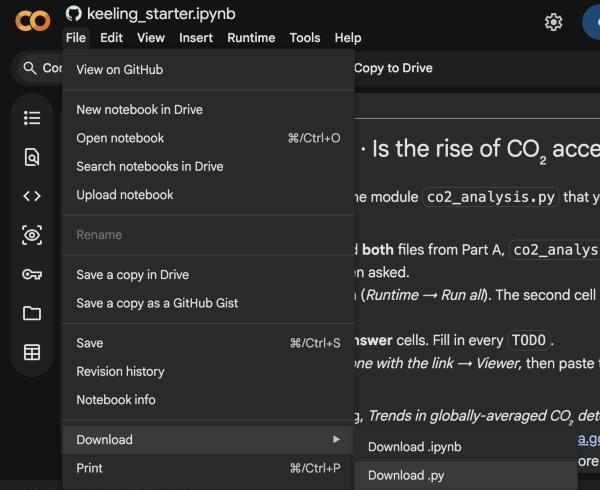
save the notebook as a Python file: File → Download → Download .py. Colab saves a .py file named after your notebook to your computer.
Verify one answer, disclose every tool
Ask an AI tool one numerical question from this assignment, paste its answer into the notebook, and check it against your own result and a primary source, as in week 3 (10 points). Then write the three-line disclosure at the end of the notebook: which tool, for what, and what you checked yourself, as in week 4 (10 points).
Use the form behind the red button at the top. It opens on 5 November, asks you to sign in with Google so that you can upload files, and lets you change your submission until the deadline. Have these ready:
- the link to your Colab notebook, with view access;
co2_analysis.pyandtest_co2_analysis.py, and your notebook as a.pyfile;- the two screenshots from Part A: the plan with your comment, and the walkthrough.
AI use is expected here, and it has to be visible. In the traffic-light model from week 4 this assignment is yellow: the agent may write the module, you write every answer, and you declare every use. Handing in text or numbers you have not checked is red.
Work alone. Talking about ideas is fine; sharing code, notebooks or answers is not. The notebook shows which module you uploaded, so it has to be the one you built in Part A. Cite every source you use to explain a result, web pages included.
| Part A: a plan reviewed with a real comment, tests that pass plus your own meaningful test in Colab, a module that follows SPEC.md | 30 |
| Part B: correct numbers with units, readable figures, explanations in your own words | 50 |
| Part C: a check against a primary source, a complete disclosure | 20 |